ParcVu Online
Starting with ParcVu OnlineSystem Maintenance in ParcVu OnlineCommunications in ParcVu Online
ParcVu Desktop
Starting with ParcVu Desktop☑️System Maintenance in ParcVu Desktop☑️Manage Users in ParcVu Desktop☑️Manage Stock (Vans/Holiday Homes) in ParcVu Desktop☑️Managing Pitches in ParcVu DesktopCommunications in ParcVu Desktop☑️Managing Payments in ParcVu Desktop☑️Managing Jobs In ParcVu Desktop☑️Dashboards in ParcVu DesktopManage Bookings In ParcVu Desktop☑️Manage Prospects in ParcVu Desktop☑️The Sales Process in ParcVu Desktop☑️Manage Owners in ParcVu Desktop☑️ Managing Sublet in ParcVu Desktop☑️Accounting in ParcVu DesktopReports in ParcVu Desktop
www.parcvu.com
    Home
  1. ParcVu Desktop
  2. ☑️Manage Owners Portal Activations in ParcVu Desktop
  3. ☑️ Create a Web Activation Code in ParcVu Desktop

☑️ Create a Web Activation Code in ParcVu Desktop

Last updated 9 months ago

Navigate to the required Owners Account Details screen and select ‘Set Web Activation Code’ from the Navigation list.
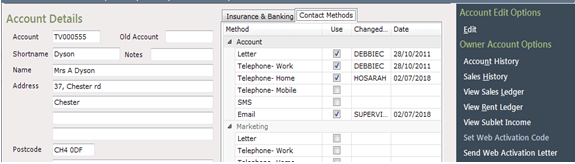
This action will have created the ‘Web Activation Code’ behind the scenes
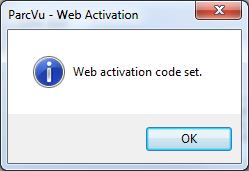
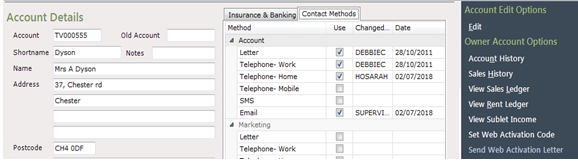
Click ‘OK’ to the popup message displayed, and then select to ‘Send Web Activation Letter’ on the Navigation list.
Was this helpful?